
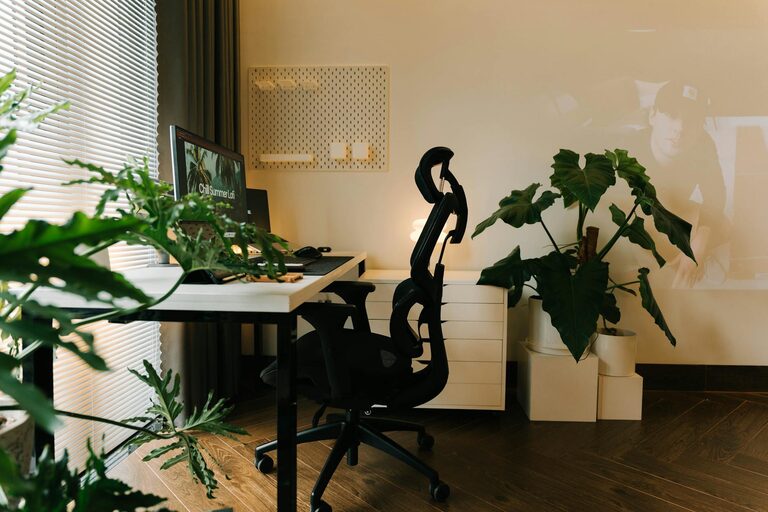
Creating a cozy and functional home office space is essential for anyone who works from home or needs a dedicated area for projects and study. A well-designed office can boost productivity, reduce stress, and make work feel more enjoyable. Whether you’re starting from scratch or updating an existing workspace, these tips will help you craft an environment that’s both inviting and efficient.
1. Choose the Right Location
Finding the ideal spot for your home office sets the foundation for a productive environment. Consider the following when selecting your workspace:
– Natural Light: Position your desk near a window to take advantage of natural light. It helps reduce eye strain and can lift your mood.
– Quiet Area: Select a space away from household noise and distractions, especially if you participate in video calls or need deep focus.
– Privacy: Choose a room or nook where you can close a door to avoid interruptions during important tasks.
If space is limited, even a corner in a living room or bedroom can be transformed into an effective office area.
2. Invest in Comfortable and Supportive Furniture
Comfort is key when you spend long hours at your desk. Prioritize ergonomic furniture to keep your body healthy and comfortable:
– Ergonomic Chair: Select a chair with good lumbar support, adjustable height, and comfortable cushions.
– Proper Desk Height: Choose a desk at a height that allows your arms to rest comfortably at a 90-degree angle when typing.
– Standing Desks: If you prefer more movement, consider a sit-stand desk to alternate your position throughout the day.
Adding a footrest or supportive cushions can further enhance comfort.
3. Organize with Purpose
An organized workspace helps maintain focus and reduces stress. Use these strategies for keeping your office tidy and efficient:
– Storage Solutions: Incorporate shelves, filing cabinets, or storage bins to keep documents and supplies neatly arranged.
– Desk Essentials: Keep only what you use daily on your desk to prevent clutter.
– Cable Management: Use clips, sleeves, or under-desk trays to keep cords hidden and prevent tangling.
– Digital Organization: Create folders and backups for your digital files to keep your computer’s workspace streamlined.
Regularly decluttering your workspace can keep your office inviting and functional.
4. Personalize Your Space
Adding touches that reflect your personality can make your office more welcoming and inspiring:
– Decor: Use artwork, plants, or decorative objects that motivate and relax you.
– Color Choices: Choose calming colors for the walls and accessories, such as soft blues, greens, or neutrals, to create a peaceful atmosphere.
– Lighting: Add a desk lamp with adjustable brightness for focused work during evenings or cloudy days.
Personalizing your workspace can make it a pleasant place to spend time.
5. Optimize Lighting
Good lighting is crucial to reduce eye strain and keep you alert:
– Natural Light: Utilize sunlight as much as possible.
– Ambient Lighting: Use overhead lighting to brighten the room evenly.
– Task Lighting: Include adjustable desk lamps for reading and detailed work.
Avoid harsh fluorescent bulbs; opt for warm white or daylight bulbs that mimic natural light.
6. Incorporate Greenery
Plants can improve air quality and add a touch of nature, making your office feel more comfortable:
– Easy-to-Care Plants: Consider succulents, pothos, or snake plants that thrive indoors with minimal care.
– Placement: Put them near your desk or windowsill where they can get indirect light.
– Benefits: Plants may help improve mood and reduce stress.
Adding greenery is an affordable way to brighten your home office.
7. Control Noise Levels
Minimizing distractions from noise is important for focusing:
– Soundproofing: Use rugs, curtains, or foam panels to absorb sound.
– White Noise: Consider a white noise machine or fan to mask background sounds.
– Headphones: Noise-cancelling headphones can be helpful during calls or deep work sessions.
Creating a quieter environment supports better concentration.
8. Keep Technology User-Friendly
Having the right technology setup ensures your work runs smoothly:
– Reliable Internet: Use a strong Wi-Fi connection or wired Ethernet for stable access.
– Monitors and Accessories: A second monitor, ergonomic keyboard, or mouse can improve comfort and efficiency.
– Charging Stations: Set up charging points for your devices to avoid cable clutter.
Regularly update software and backup your data to avoid interruptions.
9. Set Boundaries and Routine
Although your office is at home, setting clear boundaries helps separate work from leisure time:
– Defined Work Hours: Stick to a schedule that signals the start and end of the day.
– Break Space: Have a separate area for breaks to relax and recharge.
– Clear Signals: Use signs or closed doors to communicate when you are focused.
A structured routine and environment help maintain work-life balance.
—
Creating a cozy and functional home office is about blending comfort with practicality. By choosing the right location, investing in good furniture, staying organized, and personalizing your space, you can build an office that supports both productivity and well-being. Take the time to make your workspace your own, and enjoy the benefits it brings to your daily routine.