
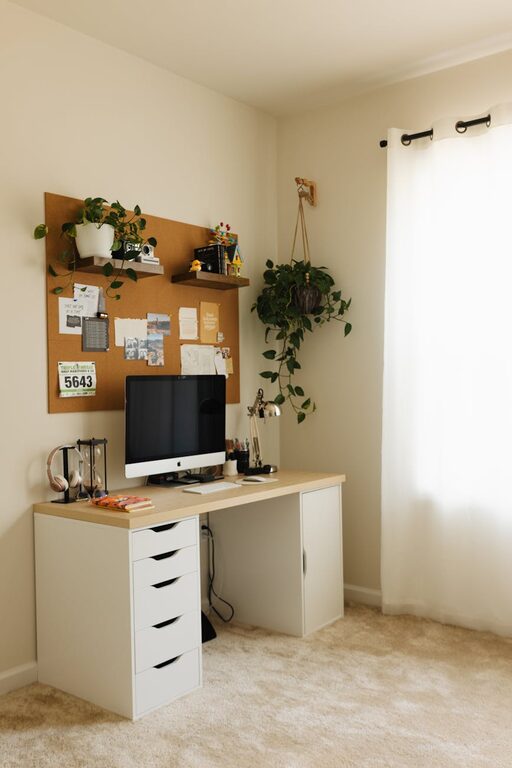
Creating a cozy and productive home office space is essential for anyone working from home. Whether you’re a remote employee, freelancer, or simply need a dedicated place to manage your tasks, having the right environment can boost your focus and improve your well-being. In this post, we’ll explore practical ideas and tips to help you set up a home office that’s inviting, comfortable, and conducive to productivity.
Why a Cozy Home Office Matters
Working from home comes with perks like flexibility and comfort, but it also demands discipline. A well-designed workspace can make a big difference by reducing distractions, improving posture, and keeping you mentally engaged. When your office feels cozy and welcoming, you’re more likely to enjoy your workday and stay motivated.
Choosing the Right Location
Consider Natural Light
Position your desk near a window if possible. Natural light reduces eye strain and can elevate your mood. Aim to avoid placing your screen directly facing or backing the window to prevent glare.
Quiet and Low-Traffic Areas
Select a space that is away from household noise and interruptions. This helps maintain focus during calls or deep work sessions.
Space for Movement
If possible, create enough room to stretch or stand during breaks. An adjustable desk can help you alternate between sitting and standing comfortably.
Selecting Comfortable and Functional Furniture
Invest in a Good Chair
Ergonomics matter. A chair with adjustable height, lumbar support, and comfortable cushioning promotes better posture and reduces fatigue.
Desk Size and Style
Choose a desk that fits your available space but is large enough to hold your computer, essentials, and a little extra for note-taking or projects.
Additional Storage
Shelves, drawers, or filing cabinets keep your workspace organized and clutter-free.
Creating an Inviting Atmosphere
Use Soft Lighting
In addition to natural light, incorporate a desk lamp or floor lamp with warm bulbs. This creates a cozy ambiance and reduces eye strain in the evenings.
Pick Soothing Colors
Colors like soft blues, greens, or neutral tones can create a calm environment. Avoid overly bright or harsh colors that may cause distraction.
Add Personal Touches
Incorporate elements like plants, artwork, or photos to make the space uniquely yours. Plants, in particular, can improve air quality and add a refreshing vibe.
Organizing for Efficiency
Declutter Regularly
Keep only what you need on your desk to stay focused. Use cable management tools to keep cords tidy.
Use Organizational Tools
Pen holders, trays, planners, and digital apps can help you keep track of tasks and deadlines.
Create Zones
If space allows, designate areas for different activities, such as a reading nook or a brainstorm corner.
Managing Technology Comfortably
Screen Placement
Position your monitor at eye level and about an arm’s length away. This reduces neck strain and improves posture.
Invest in Quality Accessories
A good keyboard, mouse, and headphones can enhance comfort, especially during long hours.
Ensure Reliable Connectivity
A strong internet connection and necessary tech support keep your workflow smooth.
Establishing a Healthy Routine
Set Boundaries
Designate work hours and stick to breaks. A clear routine helps separate work time from personal time.
Add Movement and Breaks
Incorporate short stretching or walking breaks. This reduces tension and increases productivity.
Maintain Air Quality
Open a window or use a small air purifier to keep fresh air circulating.
Final Thoughts
Your home office should be a space where comfort meets functionality. By combining thoughtful furniture choices, effective organization, and a pleasant environment, you create the ideal setting to work productively while feeling cozy and relaxed. Experiment with the tips above to find what best suits your needs and style, and enjoy a better work-from-home experience.